
Hey there! As a supplier of CNC machining parts, I've seen my fair share of problems pop up during production. But don't worry, I'm here to share some tips on how to troubleshoot those pesky issues. Let's dive right in!
1. Understanding the Basics of CNC Machining
First off, it's important to have a solid grasp of how CNC machining works. CNC, or Computer Numerical Control, uses computers to control machine tools. This allows for high precision and repeatability in part production. But with all the tech involved, things can go wrong.
The main components of a CNC machining setup include the machine tool (like a lathe or mill), the controller, and the cutting tools. If any of these parts aren't working properly, it can lead to problems with the finished parts.
2. Identifying Common Problems
Surface Finish Issues
One of the most common problems we encounter is poor surface finish. This can manifest as rough spots, tool marks, or even chatter on the part's surface. A rough surface finish can affect the part's functionality and aesthetics.
There are several reasons for this. Dull cutting tools are a major culprit. Over time, the cutting edges wear down, causing them to tear rather than cut through the material cleanly. Another cause could be incorrect cutting parameters, like feed rate or spindle speed. If the feed rate is too high, the tool might not have enough time to make a clean cut, resulting in a rough surface.
Dimensional Inaccuracies
Dimensional inaccuracies are another headache. Parts that don't meet the specified dimensions can't be used in their intended applications. This could be due to programming errors. If the CNC program has incorrect coordinates or tool paths, the machine will produce parts that are the wrong size or shape.
Mechanical issues with the machine can also lead to dimensional problems. For example, if the machine's axes aren't moving smoothly or are misaligned, the part won't be machined accurately.
Chip Evacuation Problems
Chip evacuation might not sound like a big deal, but it can cause a lot of trouble. When chips aren't removed properly from the cutting area, they can get in the way of the cutting tool, leading to poor surface finish and even tool breakage.
This can happen if the coolant isn't flowing correctly or if the chip conveyor isn't working. Sometimes, the chip shape itself can be a problem. If the chips are too long and stringy, they can wrap around the tool and cause issues.
3. Troubleshooting Steps
Checking the Cutting Tools
When you notice surface finish issues, the first thing to do is check the cutting tools. Look for signs of wear, like dull edges or chipping. If the tools are worn out, replace them. It's also a good idea to make sure the tools are installed correctly. A loose or misaligned tool can cause all sorts of problems.
Reviewing the CNC Program
For dimensional inaccuracies, start by reviewing the CNC program. Double - check all the coordinates, tool paths, and cutting parameters. You can use simulation software to run the program virtually and see if there are any obvious errors. If you find a mistake, correct it and test the program on a scrap piece of material before machining the actual part.
Inspecting the Machine
Mechanical problems with the machine can be trickier to diagnose. Check the machine's axes for smooth movement. Look for any signs of wear or damage, like loose belts or bearings. You can also perform a calibration check to make sure the machine is accurate. If you're not sure how to do this, consult the machine's manual or contact the manufacturer's support team.
Improving Chip Evacuation
To fix chip evacuation problems, first, check the coolant system. Make sure the coolant is flowing at the right pressure and that it's reaching the cutting area. If the chip conveyor isn't working, check for blockages or mechanical issues. You might also want to adjust the cutting parameters to produce shorter, more manageable chips.
4. Real - World Examples
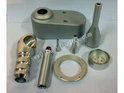
Let's take a look at some real - world scenarios. We once had a customer who ordered High Precise China Aerospace CNC Machining parts. When we started production, we noticed that the surface finish of the parts was rough. After checking the cutting tools, we found that they were dull. We replaced the tools and adjusted the cutting parameters, and the surface finish improved significantly.
Another time, we were working on OEM CNC Machining Aluminum BOV Weld Flange parts. The parts were coming out slightly larger than the specified dimensions. After reviewing the CNC program, we discovered a small error in the coordinates. We corrected the program, and the next batch of parts was within the required tolerances.


We also had an issue with Custom Stainless Steel U - shaped Bolt production. The chips were getting stuck around the cutting tool, causing tool breakage. We adjusted the coolant flow and changed the cutting parameters to produce shorter chips, and the problem was solved.
5. Preventive Measures
To avoid these problems in the first place, it's important to implement preventive measures. Regularly maintain your cutting tools. Keep a schedule for tool replacement based on the number of parts machined or the hours of use.
Perform routine maintenance on the machine. This includes cleaning, lubricating, and checking for wear and tear. Train your operators properly so they can recognize and address potential issues early on.
6. Conclusion
Troubleshooting problems in CNC machining parts production can be a challenge, but with the right knowledge and approach, you can overcome them. By understanding the common problems, following the troubleshooting steps, and implementing preventive measures, you can ensure a smooth production process and high - quality parts.
If you're in the market for CNC machining parts, whether it's High Precise China Aerospace CNC Machining, OEM CNC Machining Aluminum BOV Weld Flange, or Custom Stainless Steel U - shaped Bolt, we're here to help. Feel free to reach out to us to discuss your requirements and start the procurement process. We're confident we can provide you with top - notch parts that meet your needs.
References
- "CNC Machining Handbook"
- Manufacturer's manuals for CNC machines and cutting tools